
How CineDates works
Once a day we read what London's independent and repertory cinemas are showing and gather all of it into one place, from the BFI Southbank to the small rooms that programme one season at a time. Sixty-nine of them at the moment. Looking is free. A subscription is what puts your evenings in your calendar and keeps them there.

What it does, in the order you meet it

One
We read the cinemas' own programmes
Their own websites, read once a day, for every cinema on the list: the BFI Southbank, the Prince Charles, the Rio, Close-Up, the Castle, and the small rooms that programme a season at a time. Nothing is typed in by hand. Multiplexes and ticket resellers are not in here, because a cinema that programmes its own films is the whole point.

Two
You find something to watch
Today and the four days after it, every venue, one card per film with its times and a ticket link. Search a film by name. Ask for 35mm, or for the festival, or flip the snob switch in the corner if you want to be shown the deep cuts. Every film, every cinema and every screening has a page of its own, so there is always something to send to whoever you are going with.

Three
You keep the ones you fancy
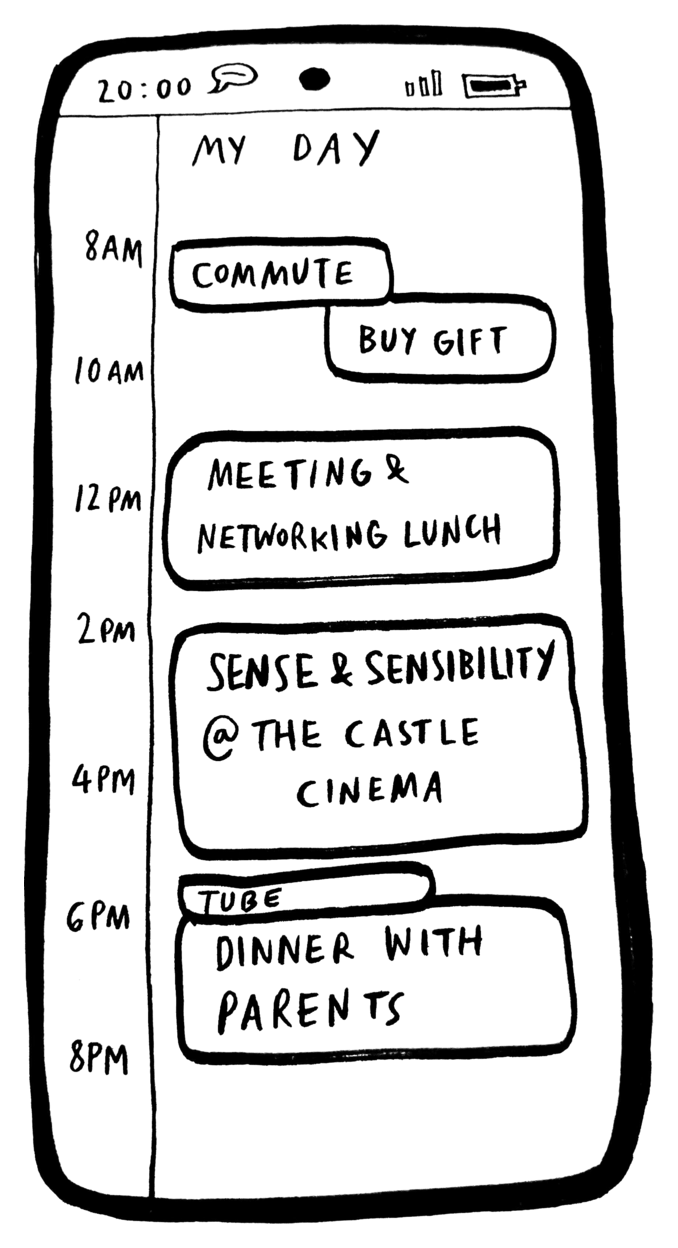
The round beside a time keeps it. Your picks become a week, drawn out: a column per day, a block as long as each film is, and the hours you are already busy shaded in behind them. It says so when two films clash, and when you have left yourself too little time to cross London. Mark a ticket bought, or move a pick to a later showing of the same film.Three picks, kept in this browser, cost nothing. With a subscription they live in your account instead - up to sixty of them, a month of weeks to page through, and the same list on your phone as on your laptop.
Four
It reaches your calendar
A subscription gives you one private web address to paste in once, in Google, Apple, Outlook, or anything else that can subscribe to a calendar. A month of screenings arrive and keep themselves right: a venue adds a time and it turns up, the venue drops one and it goes. Your calendar re-reads the address every few hours, so there is nothing to import and nothing to tidy up.Connect Google Calendar and there is a little more. Keep a pick and it can become a real appointment in a calendar of its own, with the alert you chose, and screenings that clash with something you already have get left out of the listings and the feed. We ask Google whether you are busy and get times back, nothing else: no titles, no guests, no places. Turn the suggestion on and we will also put one film a day in front of you, chosen to land in a gap, for you to say yes, maybe or no.

Five
Or take the whole month as a spreadsheet
A Google Sheet with a row per screening: date, time, film, cinema, format, year, running time, and the film titles linking straight to the venue. Every London cinema for the whole calendar month, whether or not it would have got past your filters, for sorting, printing, or keeping next to your own notes. Press refresh when you want it to catch up; nothing else touches it.


What it costs
The listings are free: five days, every venue, no account and no card, and three picks you can keep in the browser. A subscription is what keeps the rest - the whole month, the filters, your picks saved to your account instead of this browser, your own calendar address, and the spreadsheet. Fourteen days to start with, and you can stop whenever you like.


Who it is for
Three questions, asked by three kinds of film person. There is no questionnaire and no profile to fill in: the listings are the same for everybody, and the same five days.


They are questions, not features, and two of them ask for more than we do: nothing here keeps a BFI list or updates your Letterboxd. What there is, is every screening the cinemas are showing - with the London Film Festival marked, if that is your week.
Questions
Most of it. Five days of listings, every venue, no account and no card, and three films you can keep in the browser. A subscription is the month, the filters, your picks kept in your account, the calendar and the spreadsheet.
Sixty-nine at the moment, all independent or repertory: the BFI Southbank, the Prince Charles, the Rio, Close-Up, the Castle, and the smaller rooms that programme one season at a time. There is a page for each one on the cinemas list.
The venues are read once a day, so you are looking at what their programmes said the last time we looked. If a cinema moves a time or takes a screening down, that is what you see next. Nothing is written by hand, which is also why a screening can appear or vanish between two visits.
It takes a few days rather than a minute. A screening only leaves the listings once the venue has stopped showing it for three days running, and only if that venue's own page is still being read - one failed check should not empty a cinema's whole month. Then it leaves your calendar too, on your calendar's next look, which is usually within a few hours. If it was one of your picks, it stays on your list with a note saying the venue has taken it away, so you can see what happened rather than wonder.
If your calendar can subscribe to a web address, yes: Google, Apple, Outlook and the rest. You paste the address in once and your calendar re-reads it on its own, so a film the venue drops leaves and one it adds arrives, with nothing for you to do. That is the difference between a subscription and an imported file, which is a snapshot that never changes again.
No. The calendar address works on its own, in any calendar app. Google adds the two extras: knowing when you are already busy, so clashing screenings can be left out, and writing your picks and our suggestions in as real appointments with alerts. Apple and Outlook users get the calendar, just not those two.
The first 14 days are free, once per person. It is attached when you subscribe rather than when you open the checkout, so an abandoned form does not use it up. You cancel in your account, which hands you to Stripe's billing page, and you keep what you have paid for until the period ends. After that the feed goes quiet: your calendar empties instead of filling up with errors.
Start with the listings

The listings are free and they are most of the site. When you want the month, the filters and the calendar, it is £4 a month or £25 a year, and the first 14 days cost nothing.